01Step
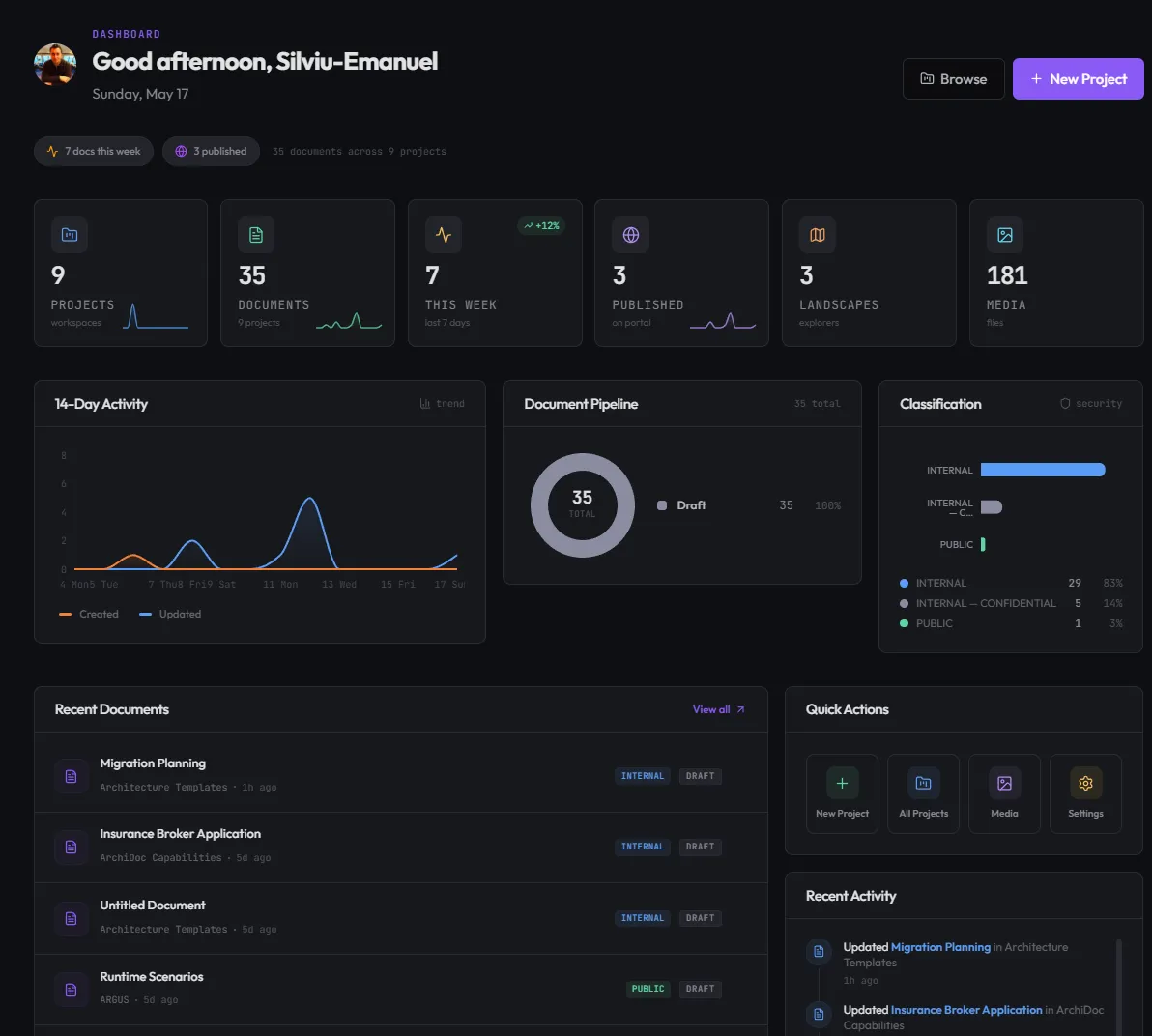
Open your workspace
Every workspace gives architects a single home for documents, entities, frameworks, and reviews. The dashboard surfaces what is live, what is in review, and what needs attention.
Studio is the workspace FINTEXIS uses to design, document, and govern enterprise architecture — living blocks, an interactive workspace graph, and an Architecture Review Board built in.
At a glance
Why we built it
Every enterprise architecture team faces the same three problems. Studio solves all of them in one place.
Architecture decisions live in slides nobody opens a month later. Studio keeps every decision discoverable, versioned, and tied to the code it shapes.
Confluence becomes a graveyard. Studio gives every concept — entity, requirement, decision, framework — a typed home with cross-links.
ARB submissions get lost in email. Studio routes every change through a structured review with reviewer overlays and decision logs.
What Studio is
Living documents, an interactive workspace graph, and a built-in Architecture Review Board — the surface our own architects work on every day.
01 · Living documents
Studio replaces flat pages with composable blocks. Each block has its own theme, its own behaviour, and renders identically in the editor and on the published page — so what reviewers see is what readers see.
02 · Workspace graph
Studio renders entities, services, and dependencies as a navigable JointJS graph. Click any node to jump to its document. Filter by domain, by framework, by review state.
03 · ARB workflow
Submit a change. Reviewers add inline annotations on the actual rendered document. The ARB decides. The decision lives where the change lives — permanently.
How it flows
Scroll to walk through a real authoring session — from opening the workspace to publishing the rendered document. Every screen is from the current FINTEXIS Studio build.
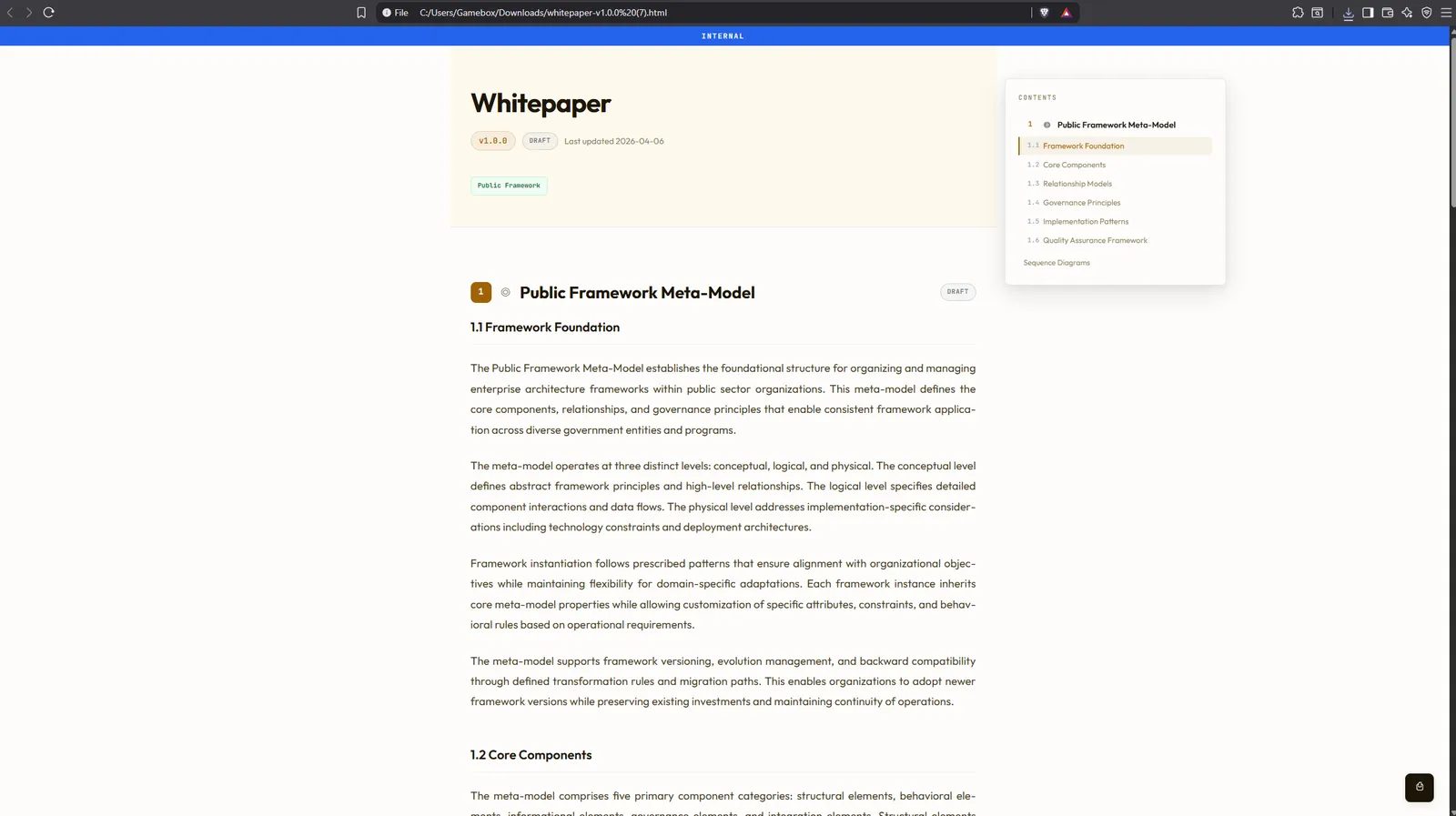
Every workspace gives architects a single home for documents, entities, frameworks, and reviews. The dashboard surfaces what is live, what is in review, and what needs attention.
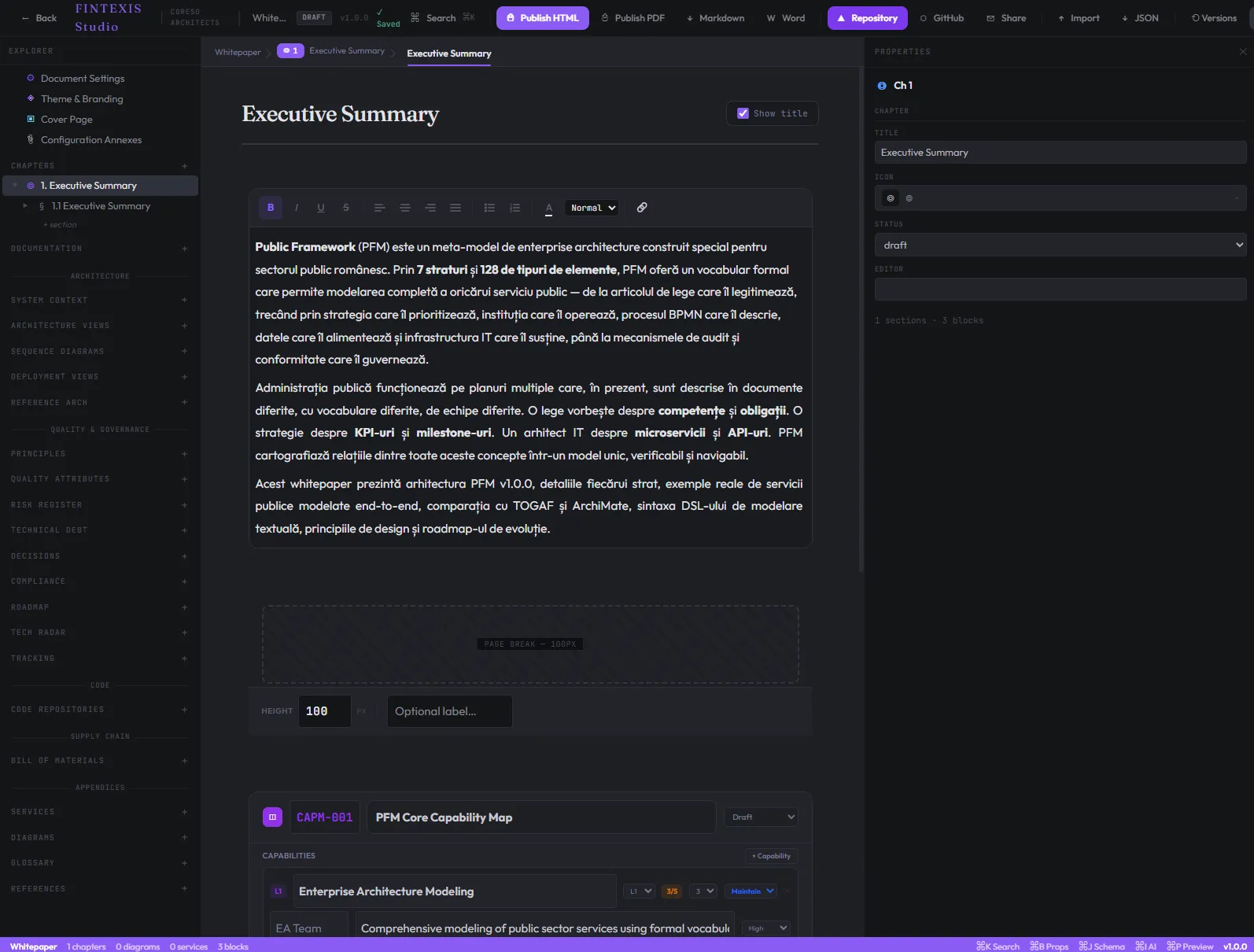
Pick from ADR, Service Spec, Entity Definition, Domain Map, NFR Sheet, Threat Model, Capability Map, or Integration Spec. The envelope is pre-filled, the block scaffold matches the document type.
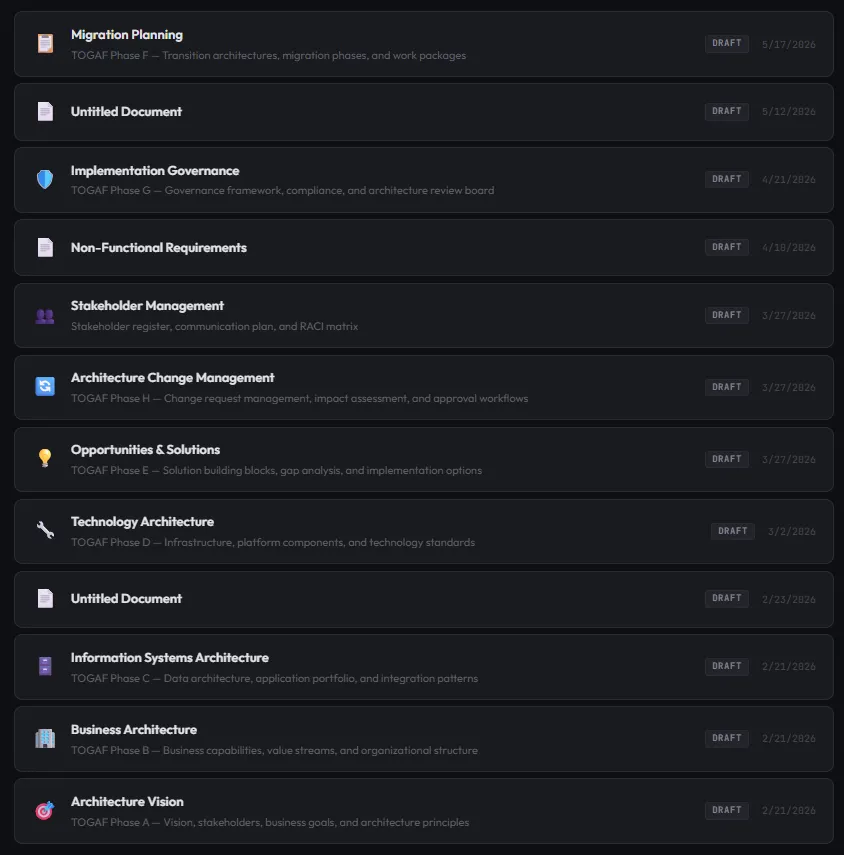
The editor renders blocks as you write them — Heading, Code, Callout, Framework, Entity reference. Each block enforces its own structure so architecture concepts get first-class treatment.
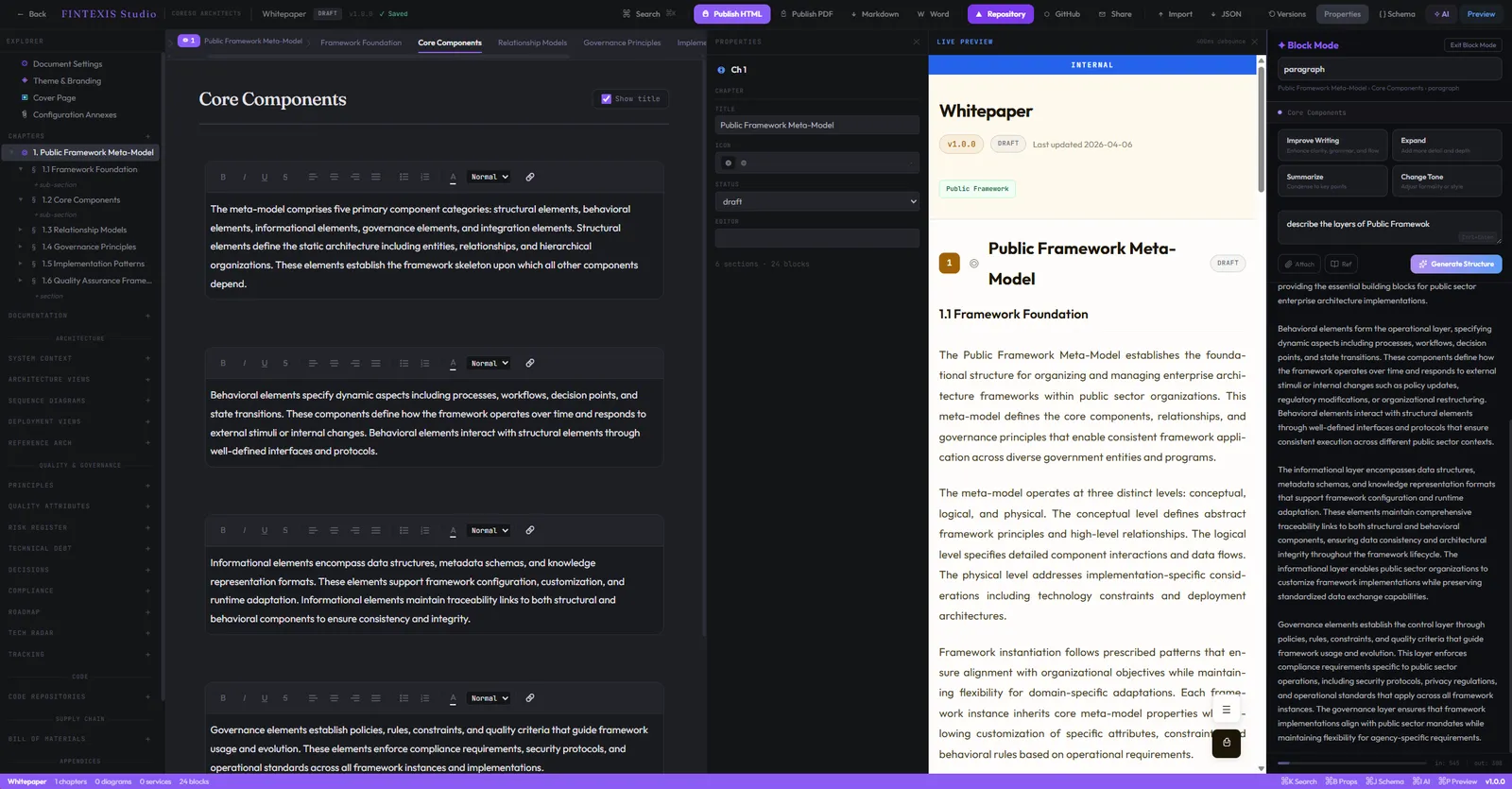
Compose blocks on the left, see them render in real time on the right. Ask the AI panel for help shaping content, drafting requirements, or suggesting framework references — without leaving the document.
Publish as a polished HTML page that anyone in your organisation can read, or export to print-ready PDF with the same theming. One source, two surfaces.
See it in action
Screenshots from the current build of FINTEXIS Studio. Every block, every workflow, every export — already running.
Compose blocks on the left, watch them render in real time on the right, and ask the AI for help shaping content — without leaving the document.
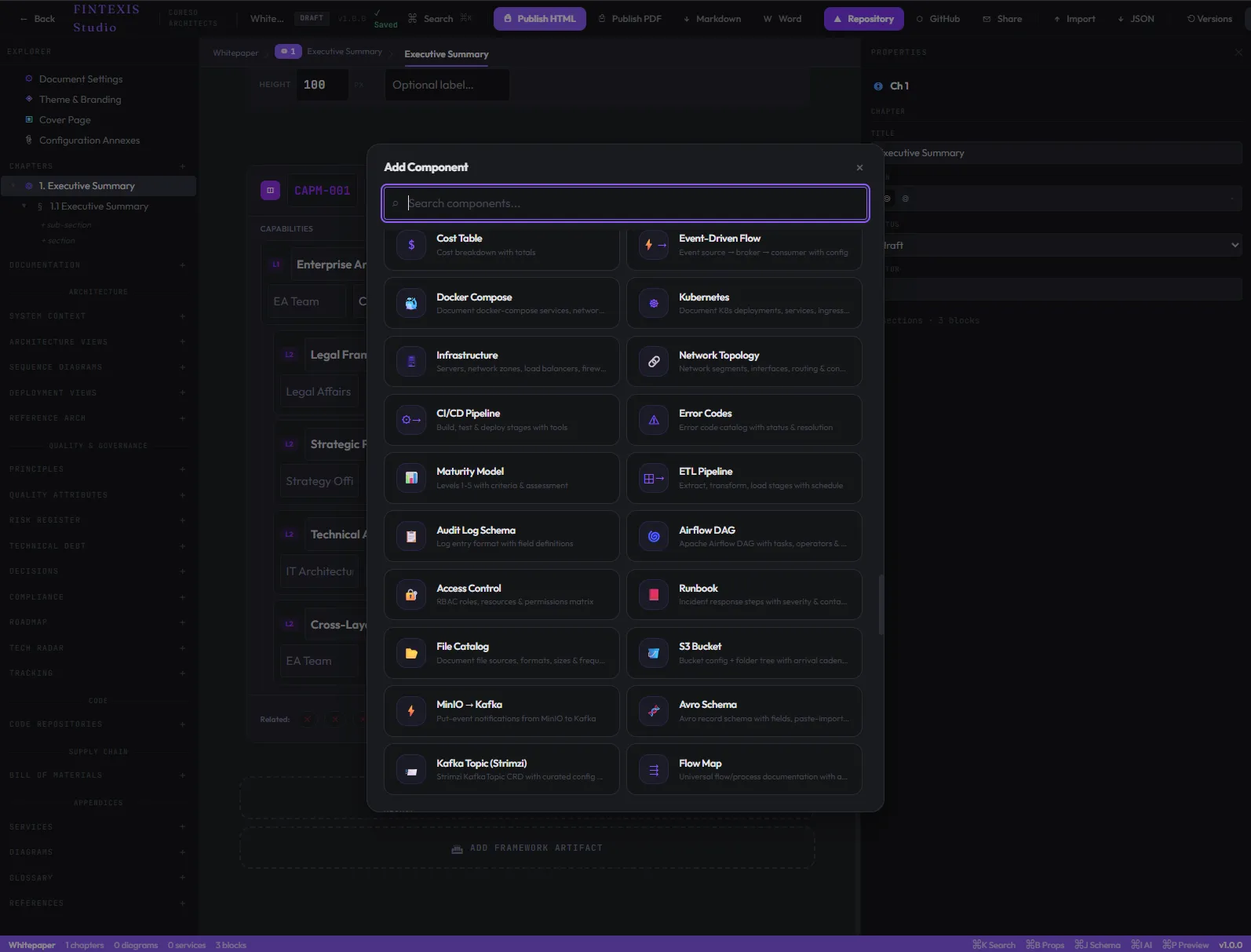
Drop any of the 12 typed blocks into the active document.
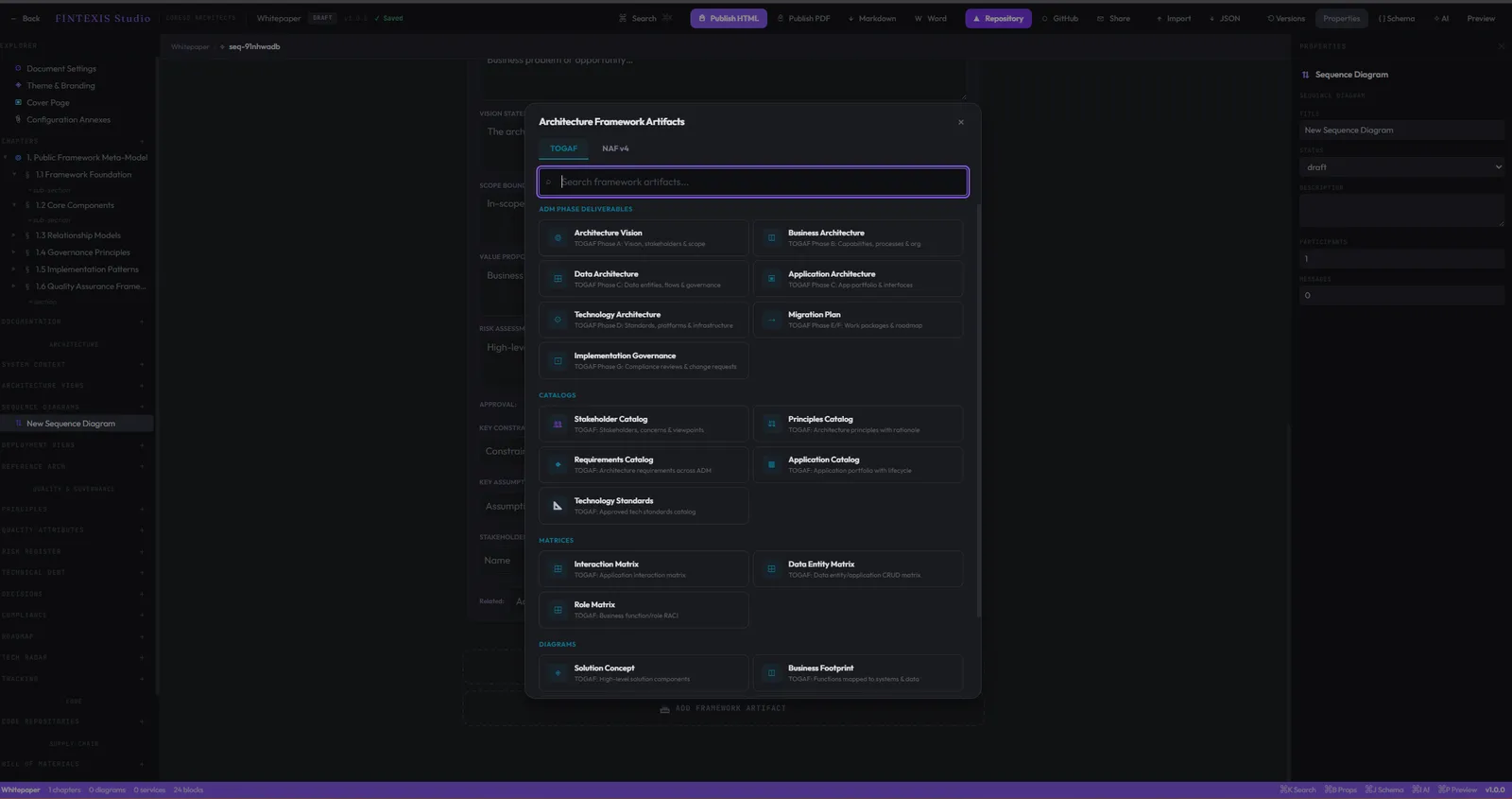
Reference reusable architecture patterns from anywhere in the workspace.
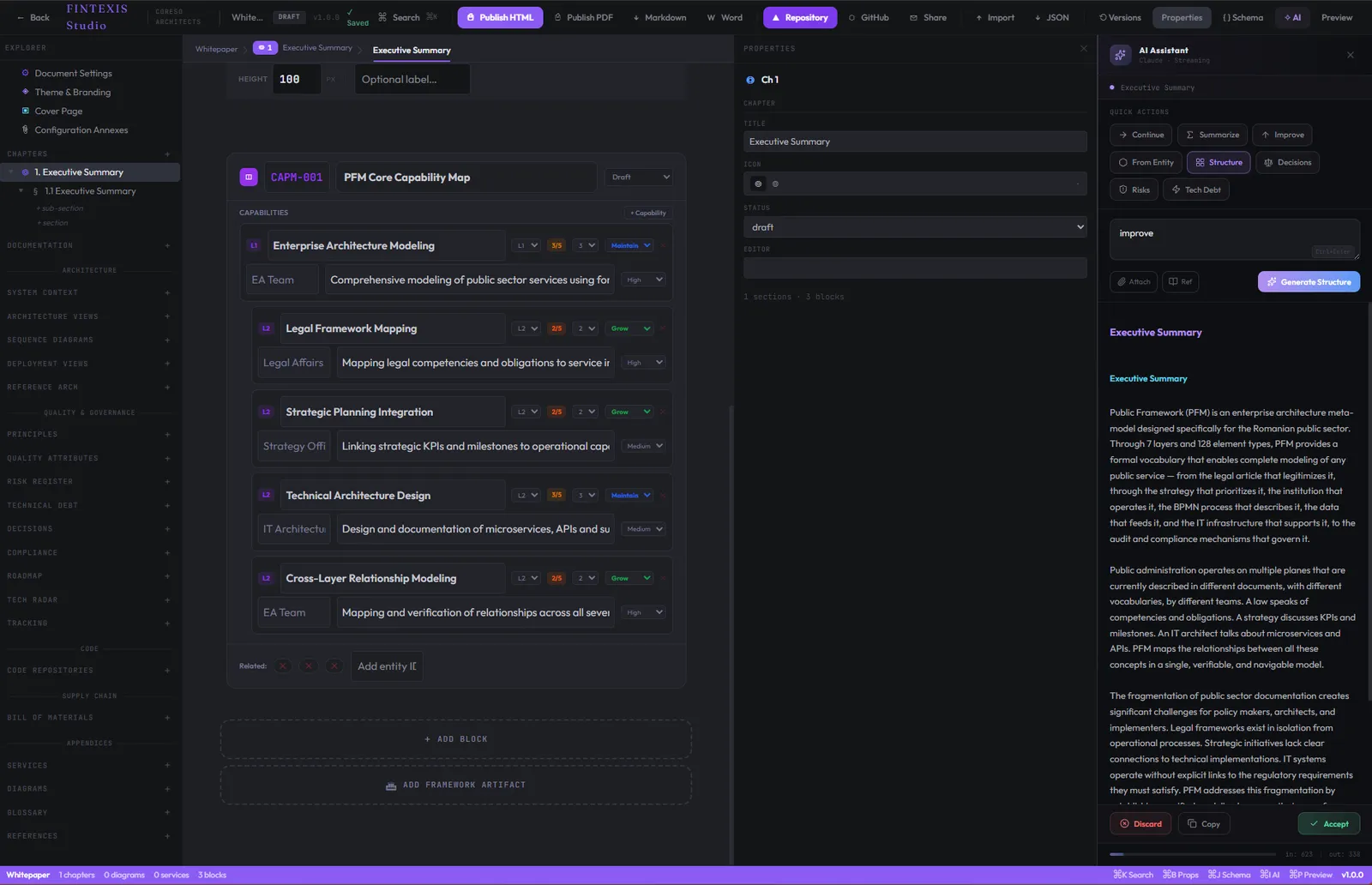
Generate, expand, and refine block content with an architecture-aware assistant.
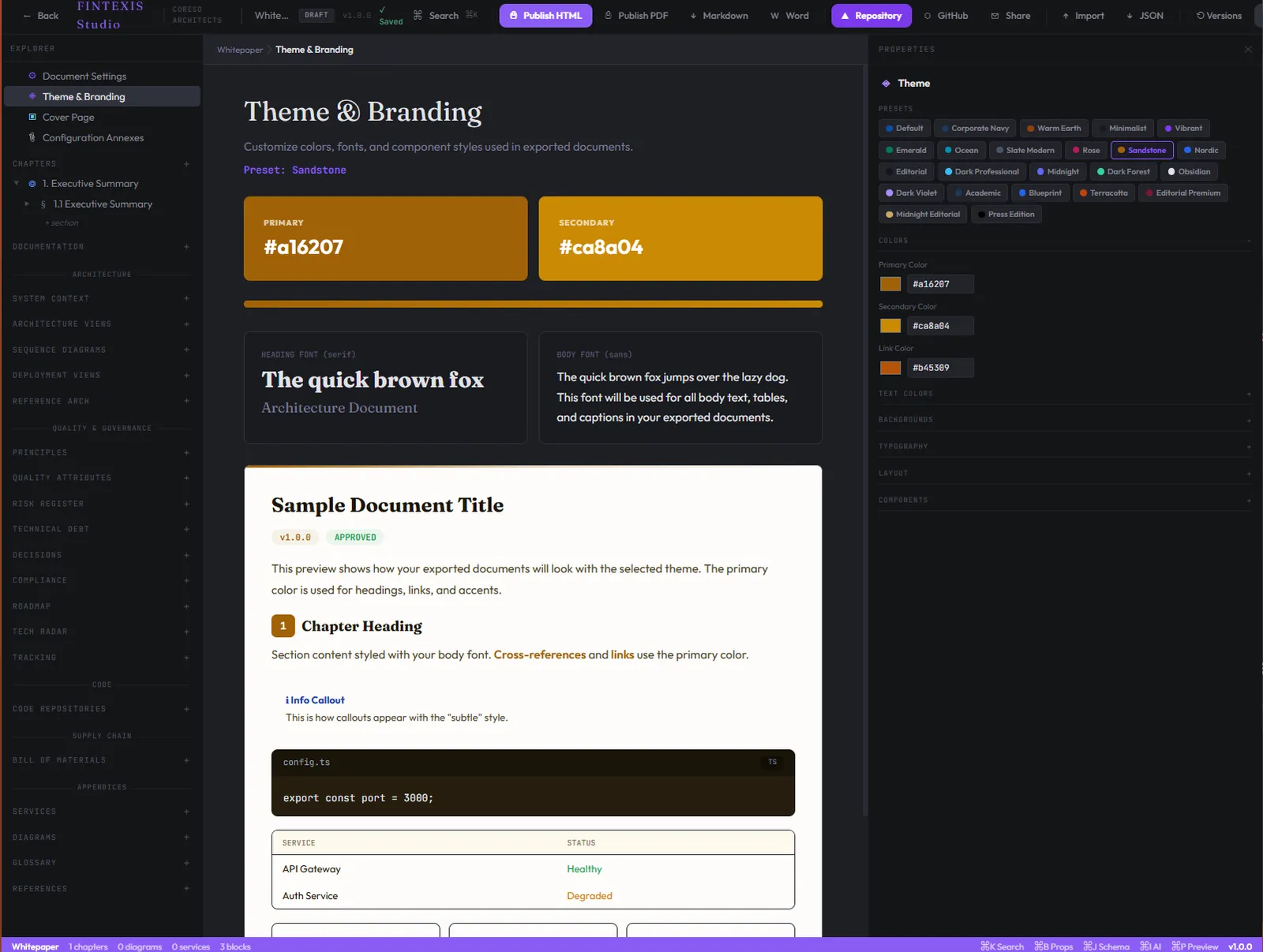
Per-workspace themes — typography, spacing, brand colours, render style.
Publish any document as a polished, themed HTML page — shareable, indexable.
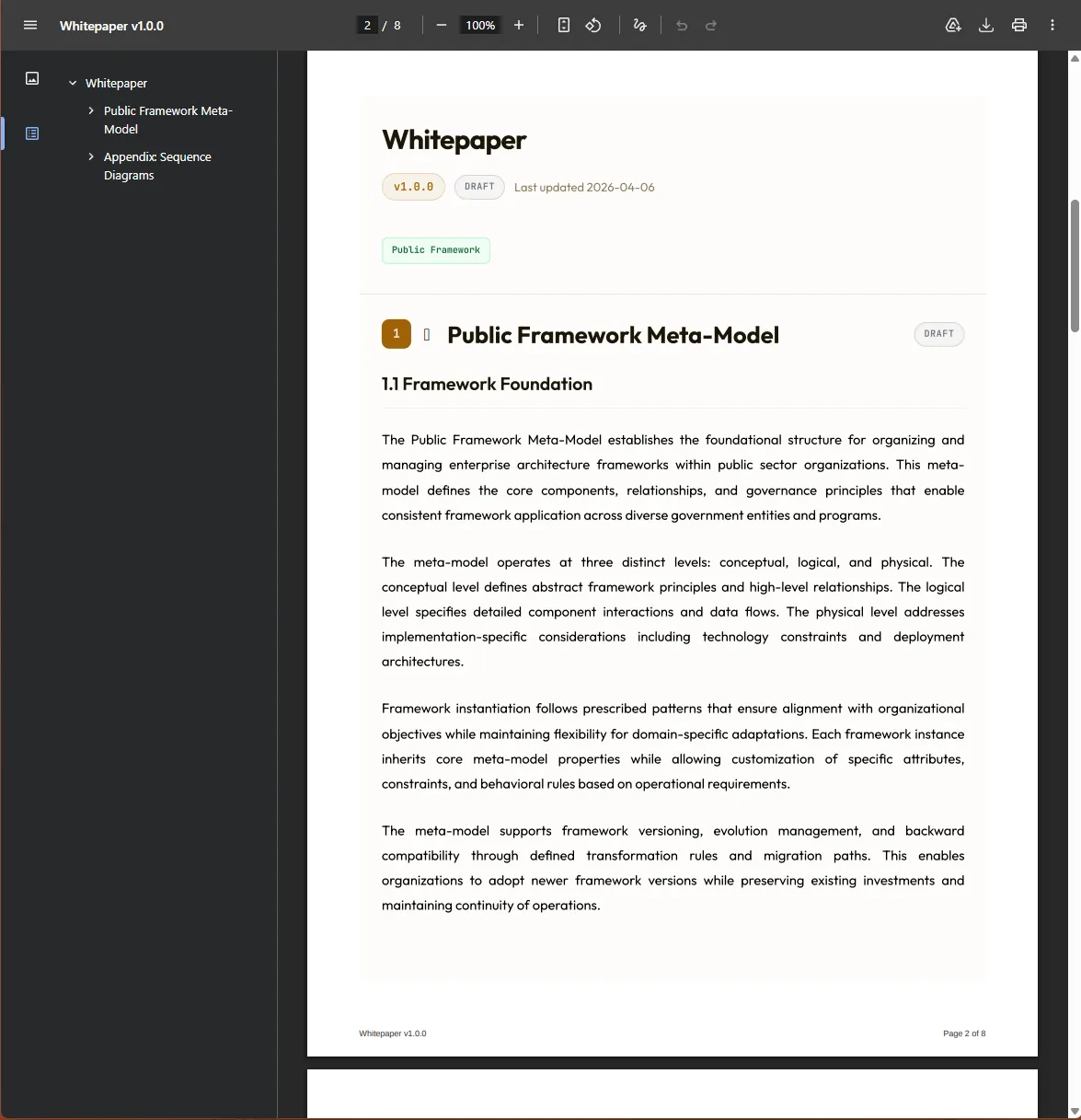
Export documents to print-ready PDF with the same theming as the live page.
Starting points
Studio ships with templates for the document types that recur across every engagement. Each template has the right envelope, the right block scaffold, and the right review path pre-configured.
Architecture Decision Record — context, decision, consequences, alternatives considered.
API surface, dependencies, SLOs, ownership, and runtime characteristics for a service.
Domain entity with attributes, relations, bounded context, and ownership.
Bounded contexts, entity ownership, and cross-domain integration points.
Non-functional requirements with criticality, measurement method, and target values.
STRIDE-based threat model with assets, threats, mitigations, and residual risk.
Business capabilities, the systems that realize them, and the gaps between them.
API contract, message schemas, error semantics, and back-pressure handling.
How Studio is different
General-purpose tools were designed for general-purpose writing. Studio was designed against the engagements FINTEXIS runs — and it shows in what it models, not just what it stores.
| Capability | FINTEXIS Studio | Confluence | Notion | Backstage |
|---|---|---|---|---|
| Typed architectural blocks | Yes | No | No | Partial |
| Entity model with cross-links | Yes | No | No | Yes |
| Requirements traceability | Yes | Plugin | No | Partial |
| Workspace dependency graph | Yes | No | No | Partial |
| Architecture Review Board flow | Yes | Plugin | No | No |
| Reviewer overlays on rendered docs | Yes | Partial | Partial | No |
| Decision log per document | Yes | No | No | No |
| EU data residency by default | Yes | Config | No | Config |
Who Studio is for
Studio is shaped by the roles that engage with architecture every day. Each role gets the same workspace — but the value lands differently for each.
Capability maps, domain models, target-state blueprints, and governance artifacts in one navigable workspace — with traceable decisions and an auditable trail.
Service specs, ADRs, framework references, and reviewer-overlaid technical documents — the same workspace your engineers read, written in the same notation.
Living documentation your engineers actually read. Reviews that happen on the document, not in a parallel channel. Decisions linked to the code they shape.
A workspace you can stand up on day 0 of an engagement, hand over on day N, and the client can still navigate two years later — because every artifact is typed and discoverable.
Trust & compliance
Architecture artifacts are some of the most sensitive documents an organisation produces. Studio treats them that way — with EU data residency, encryption at rest and in transit, structured audit logs, and a compliance posture built for the regulated sectors we serve.
All workspace data is stored in EU regions by default. Customer-specific residency options are available for the regulated sectors we serve.
TLS 1.3 in transit. AES-256 at rest. Encryption keys managed in EU-region key management services.
Data minimisation, right of erasure, and data-processing agreements as standard. DPIA support documentation available on request.
OIDC sign-in available in beta. SAML and SCIM provisioning for Okta and Azure AD are the next identity work.
Every read, write, review, and decision is logged with actor, timestamp, and document version. Exportable for compliance reviews.
What's next
A representative snapshot of where Studio is investing. Beta participants help us re-prioritize.
Common questions
Studio is in private beta. Request access via the form below — we onboard new teams every two weeks based on fit and capacity.
Cloud-hosted today. Self-hosted and on-prem options are on the roadmap for regulated customers (energy, banking, public sector).
Studio is purpose-built for architecture: typed blocks for architectural concepts, an interactive workspace graph, and a built-in ARB workflow. General-purpose wikis don't model architecture — Studio does.
No. Studio is a standalone product. Many beta teams use it without engaging us for consulting — though it is the same workspace we use in our engagements.
EU data residency by default. Encryption in transit and at rest. We are happy to share our security posture during beta onboarding.
Not during private beta. Beta participants help us shape pricing. We will publish public pricing when we move to public beta.
Private beta
Tell us a little about your team. We onboard new beta cohorts every two weeks based on fit and capacity.
Studio is one of the ways FINTEXIS delivers. If you would rather start with a conversation about your architecture, we would love to hear from you.